

Version Text Widget
Display the version string in a UMG layout.
Version Text is a UMG text block widget that displays the version string. Font, color, and justification can be set as usual.
Using the widget
Open your menu widget in the UMG designer.
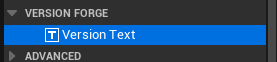
Drag Version Text from the Palette into your layout. It is listed under Version Forge.
Choose a Display Mode in the Details panel.
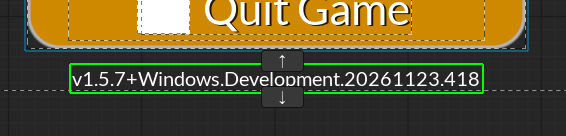
Display modes
| Display Mode | The widget shows | Example |
|---|---|---|
| Long Version (default) | The full version string with metadata. | v1.5.7-beta+Windows.Shipping.20261123.418 |
| Short Version | The short version string without metadata. | v1.5.7-beta |
| Network Version | The string used for Network version checks. | v1.5.7 |
| Custom | Result from the Custom Format setting. |
The v prefix
Prefix with V is enabled by default and will prefix the Long, Short, and Network versions with a v.
Custom format
If Custom display mode is selected, provide a format in the Custom Format field. The same tokens used for the Format Template are supported.
| Example | Result |
|---|---|
v{major}.{minor} (build {build}) | v1.5 (build 418) |
The Custom Format field is localizable text, so translators can translate any non-token words such as build.
Changing widget settings at runtime
See the Blueprint/C++ API reference.