

Quick Start
How to setup Version Forge in about five minutes.
This page walks you through the minimum setup path: set a project version, choose a format, show it in your UI, and package your game.
Before you start
Install and enable the plugin. See Installing Version Forge.
Set your project version
Open Project Settings → Project → Description and enter Project Version as Major.Minor.Patch, for example 1.5.7. All three parts must be numbers. If you intend to have the Patch value automatically sourced from build data, you can leave it set to 0 here.
Pick a format
Open Project Settings → Game → Version Forge and choose a Format Preset. The default is SemVer. The Preview section at the top shows the result as you change settings.
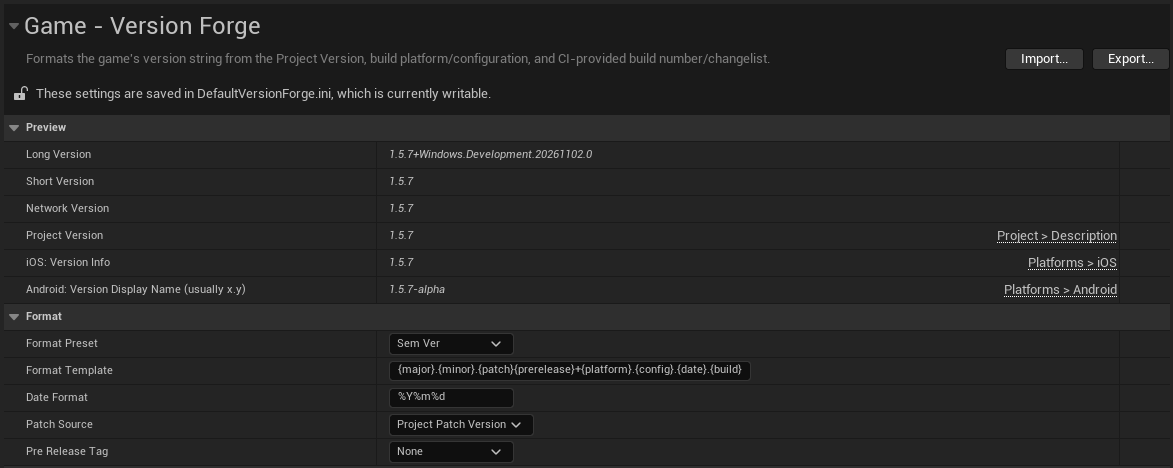
In the editor, the build number will usually be displayed as 0 and the build date as the current date. When the project is compiled and packaged the real values will be filled in.
Optionally, set the build number or changelist to be the source of your Patch value. See Patch source.
Show the version string in your UI
In a UMG widget, drag Version Text from the Palette into your layout. It is listed under Version Forge.
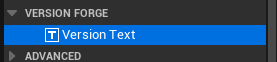
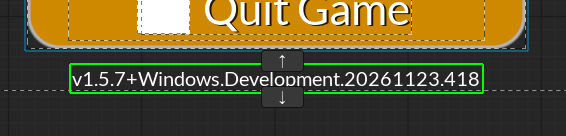
The widget shows the version string with no further setup, but there are options to change how it's displayed. See the Version Text widget.
To read the version in Blueprint or C++, call GetVersionString(). See the API reference.
Check the log
Run the game. With the default SemVer preset, Version Forge writes the version to the Output Log at startup:
LogVersionForge: Version: 1.5.7+Windows.Development.20261123.418Package
Package your game as usual. On a CI system such as TeamCity or Jenkins, the build number is picked up automatically. See Capturing build details for other options.
If packaging outside of a CI system, the build number will not be updated and will stay at 0. You can pass -BuildNumberOverride= to manually set it. See Build number overrides.
Important: If compiling and packaging happen on different machines, for example with separate BuildGraph agents, you must copy Version Forge's generated files between them. See Distributed builds.